
Everything your household needs, connected.
One system for the everyday work of home.
Money, Shopping, Tasks, and HearthSignal form the core toolkit, included on Free. Household adds higher limits and HearthStack Kids for chores, pay, Time Off, and Kid View.
The Free core toolkit
The pieces belong together.
A list helps you shop. A question helps you decide. Your tasks and money give the rest of the household a place to see what is happening.
'%20/%3e%3c!--%20wallet%20body%20--%3e%3cpath%20d='%20M4.35%2010.45%20C4.35%208.8%205.7%207.45%207.35%207.45%20H16.8%20C18.45%207.45%2019.7%208.7%2019.7%2010.35%20V16.05%20C19.7%2017.68%2018.38%2019%2016.75%2019%20H7.3%20C5.67%2019%204.35%2017.68%204.35%2016.05%20V10.45%20Z%20'%20fill='var(--hs-icon-primary,%20currentColor)'%20/%3e%3c!--%20wallet%20button%20/%20snap%20--%3e%3ccircle%20cx='16.15'%20cy='13.15'%20r='1.45'%20fill='var(--hs-icon-cutout,%20white)'%20/%3e%3c/svg%3e)
Money
See where funds stand.

Shopping
Know what is needed.
'/%3e%3c!--%20Remaining%20stacked%20task%20rows%20--%3e%3crect%20x='4'%20y='10.2'%20width='16'%20height='4.1'%20rx='2.05'%20fill='currentColor'%20opacity='0.66'/%3e%3crect%20x='4'%20y='16.1'%20width='16'%20height='4.1'%20rx='2.05'%20fill='currentColor'%20opacity='0.54'/%3e%3c/svg%3e)
Tasks
Share what needs doing.

HearthSignal
Decide together.
HearthRun brings your list and Signals into the same trip. Home gives you a quick view across the four core areas.
Money
Give your household funds a purpose.
Track the money your household has recorded, organize it into buckets, and see what has changed without hunting through separate notes or spreadsheets.
- See tracked funds and unallocated money.
- Organize household and individual buckets.
- Record income, expenses, transfers, and refunds.
- Look back at bucket balances and recent activity.
Shopping
Know what you need before you shop.
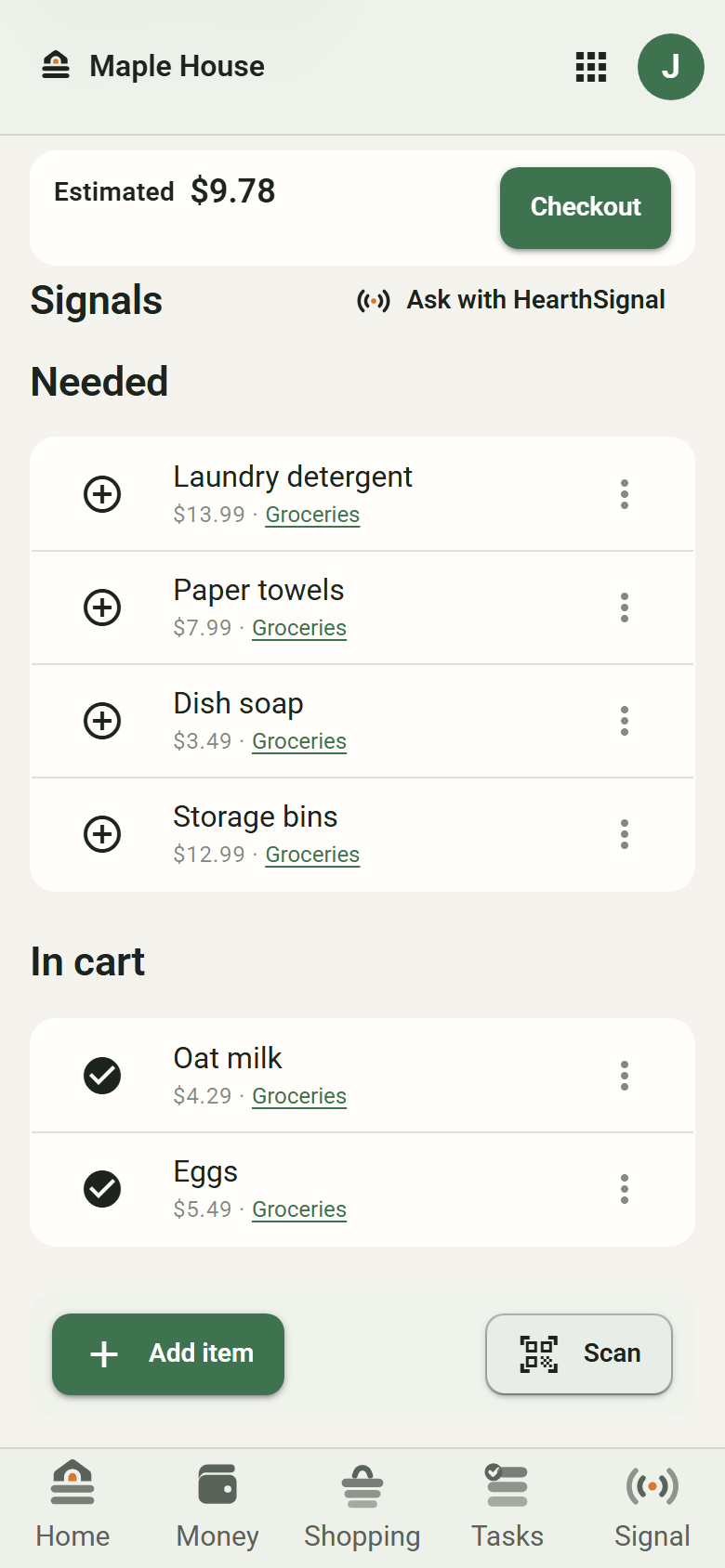
Keep lists with your household, then take one into HearthRun when it is time to go. The trip stays organized as items move into your cart.
- Build and update shared shopping lists.
- See what is still needed and what is already in the cart.
- Keep an estimated cart total when items have prices.
- Ask about a find with HearthSignal during a trip.
Tasks
Make the work of home visible.
Put the things that need doing into task lists, so the right people can see what is open and what has already been taken care of.
- Group household work into task lists.
- Add due dates when timing matters.
- Assign tasks to people with access to the list.
- Keep completed work available to look back on.
HearthSignal
Ask the household. Keep the decision.
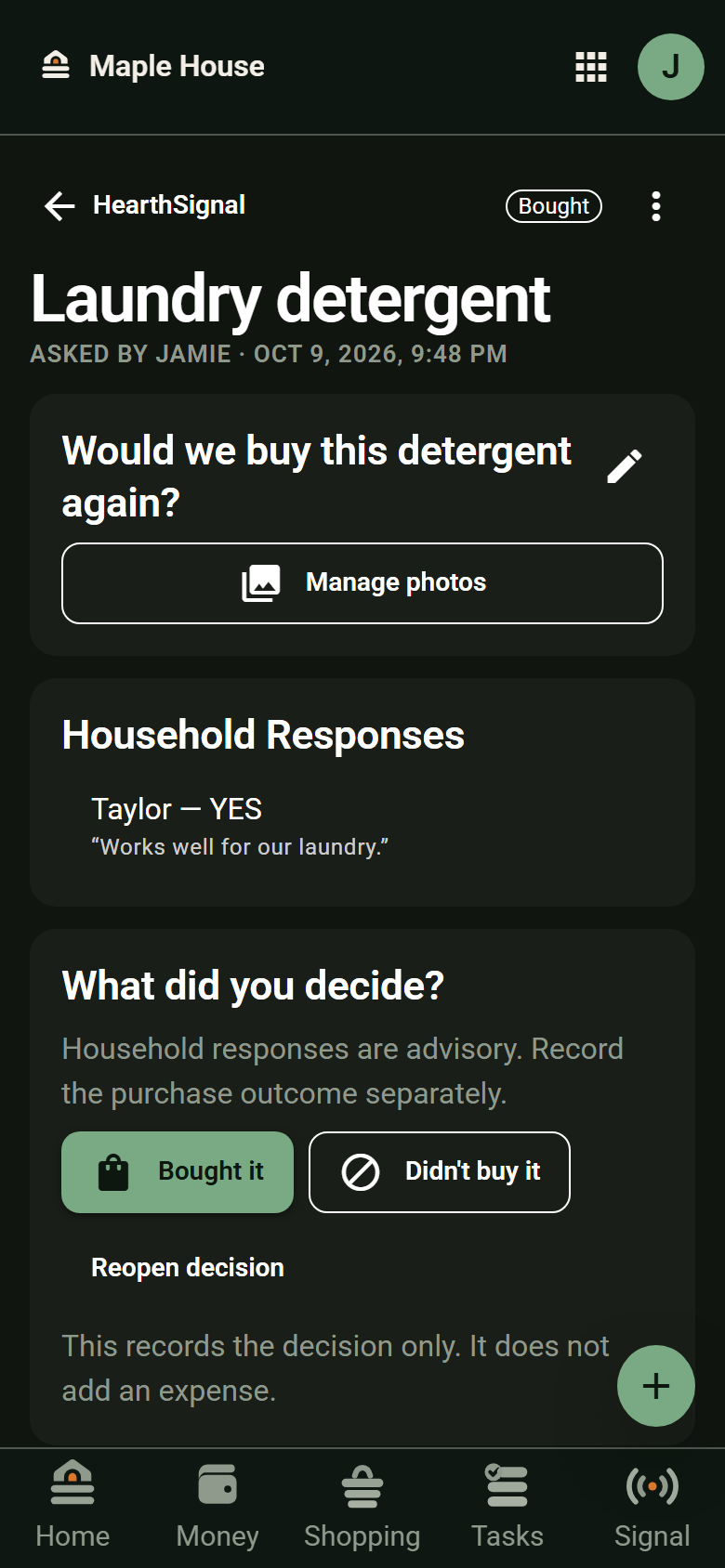
When a purchase needs a second opinion, send a Signal. People in the selected audience can respond, and the decision stays with the question for the next time it comes up.
- Ask a product question, with photos if useful.
- Choose who in the household can weigh in.
- Collect responses before deciding what to do.
- Return to past questions and purchase decisions.
Included with Household
HearthStack Kids
Household routines, made kid-friendly.
Keep track of what children need to do, what they’ve earned, what has been paid, and when they get a break. Adults manage the routine; Kid View gives children a simpler place to see their part of it.
- Set up child profiles and chore routines.
- Keep earned money separate from recorded payments.
- Make room for Time Off and parent-granted Chore Draw.
- Open supervised Kid View without requiring a child login.
Better together
From the list to the trip to the decision.
These are not automatic steps you have to follow. They are useful places to return to as your household makes a plan and acts on it.
- Add it to Shopping. Everyone with access to the list can see what is needed.
- Take the list along. HearthRun separates needed items from the cart and shows an estimate when prices are available.
- Ask before buying. Use HearthSignal from the trip to get a household opinion on a find.
- Check the bigger picture. Money shows your recorded funds and buckets; you choose whether to record the purchase at checkout.
A place for the whole household
Keep the everyday pieces together.
Start with what your household needs now, and keep the rest close by.
Start your household